
OneAPI Fundamentals
If you’re responsible for automating Zscaler administrative tasks, OneAPI is what you’ve been waiting for. Rather than juggling separate APIs for ZIA, ZPA, ZDX, and the rest, OneAPI gives you a single base URL and a consistent programming model across the entire Zscaler platform.
What makes it worth using:
-
Single base URL — one endpoint covers all Zscaler services, which simplifies client configuration and credential management.
https://api.zsapi.net -
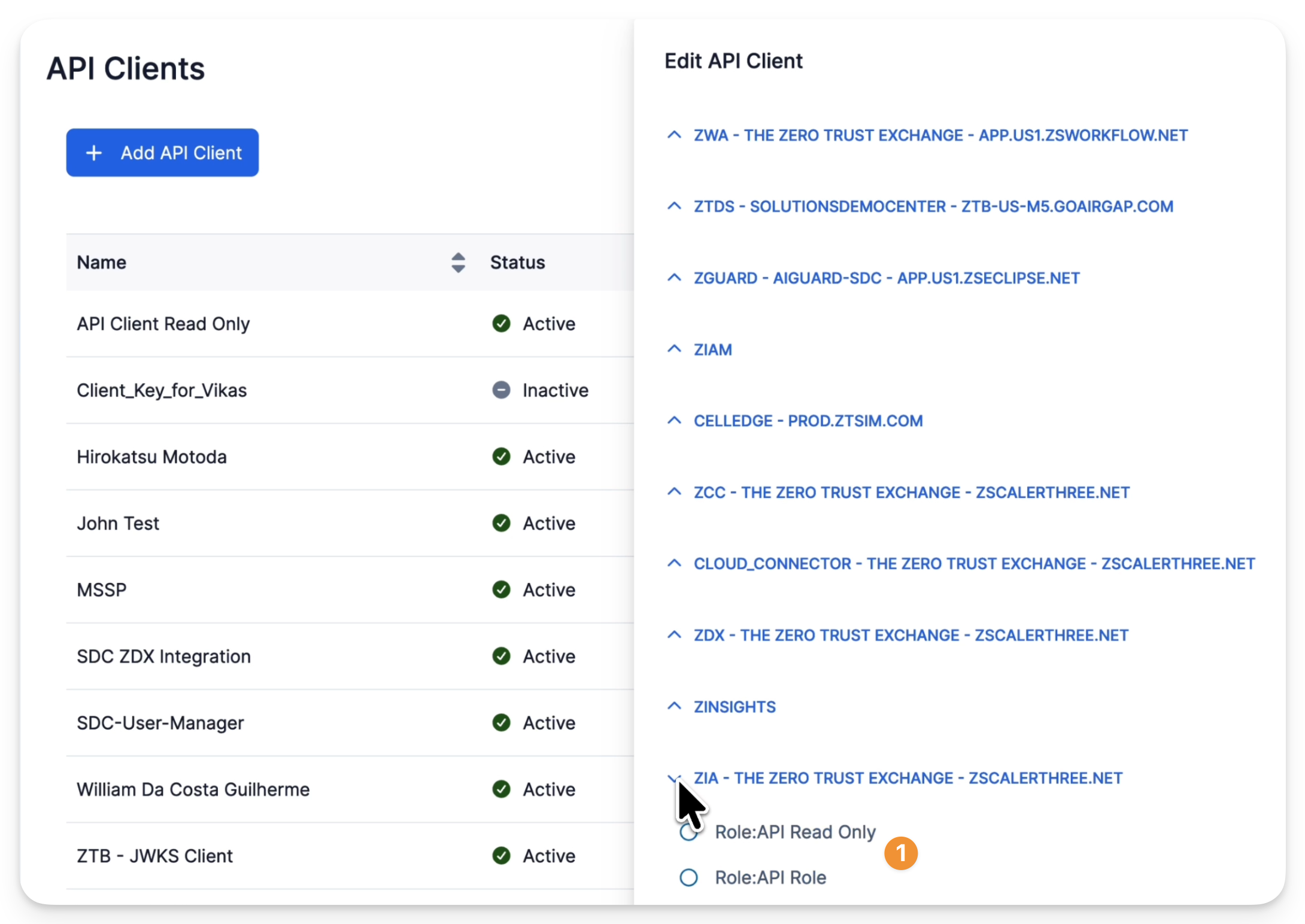
Granular role-based access — identities get only the permissions they need. Least privilege isn’t just a recommendation here; it’s built into how you set up credentials.
-
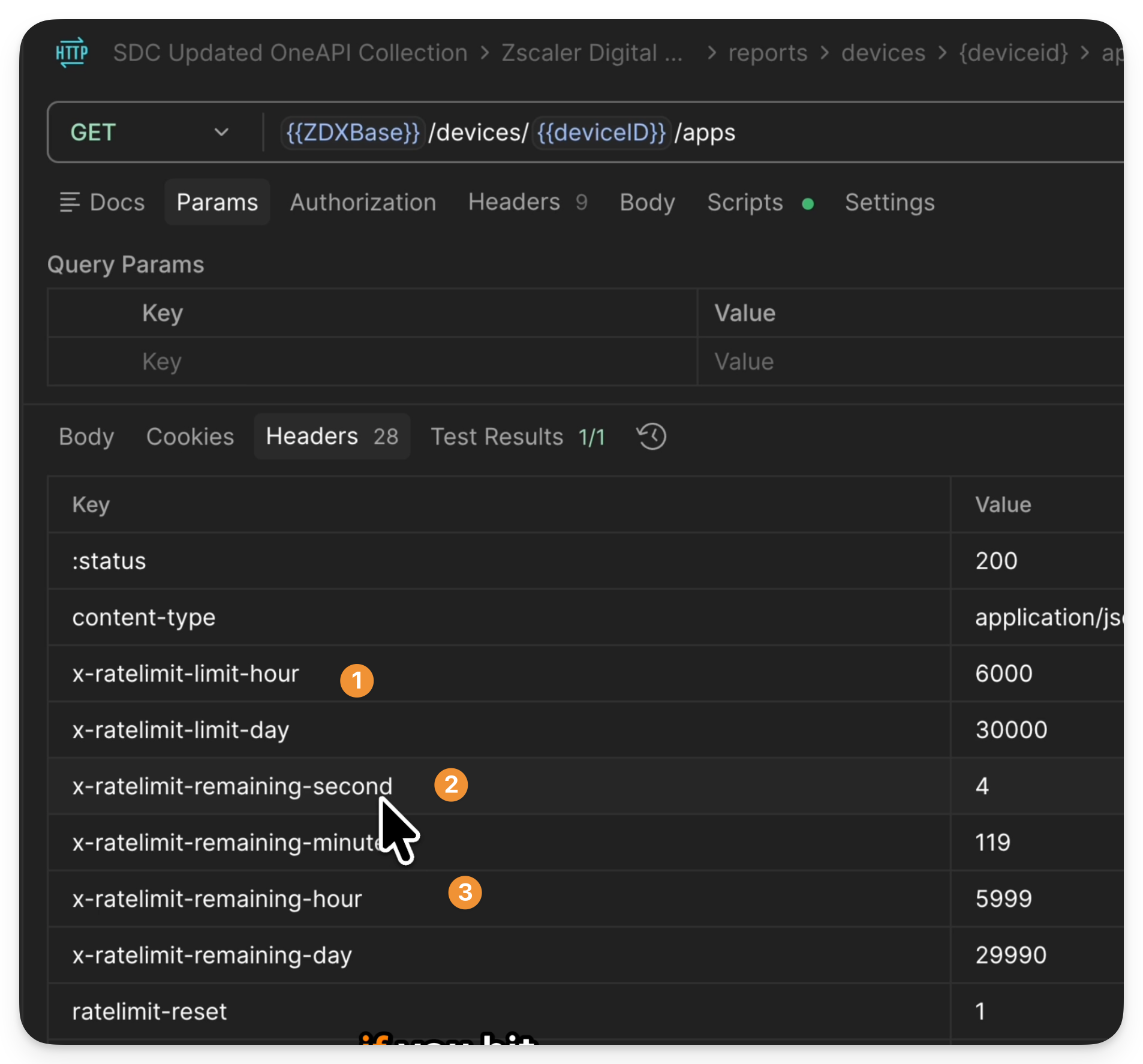
Predictable rate limiting — the rate-limit behavior is consistent across services, so your automation doesn’t need to handle surprises differently depending on which product it’s talking to.
-
Globally distributed — OneAPI routes requests to the nearest regional endpoint automatically, regardless of which Zscaler cloud your tenant lives on.
Real workflows this unlocks:
-
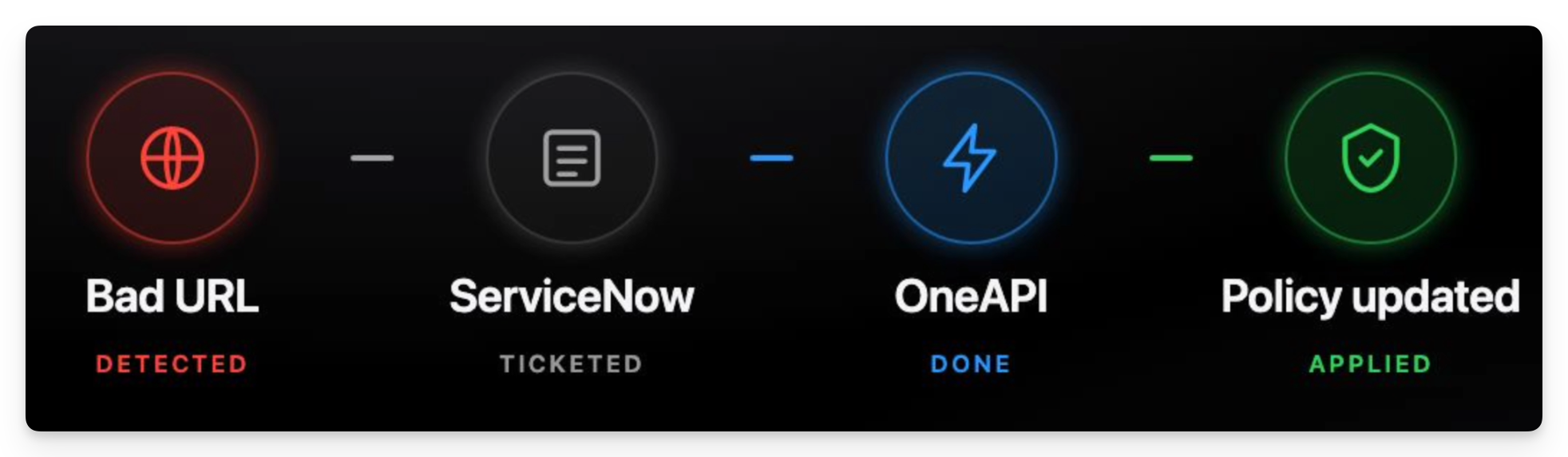
Automated URL filtering. A new malicious domain shows up in threat intel; a ticket lands in ServiceNow. Instead of someone copy-pasting into the admin portal (and risking a typo that blocks the wrong thing), an automation updates the URL category directly — faster and less error-prone.
-
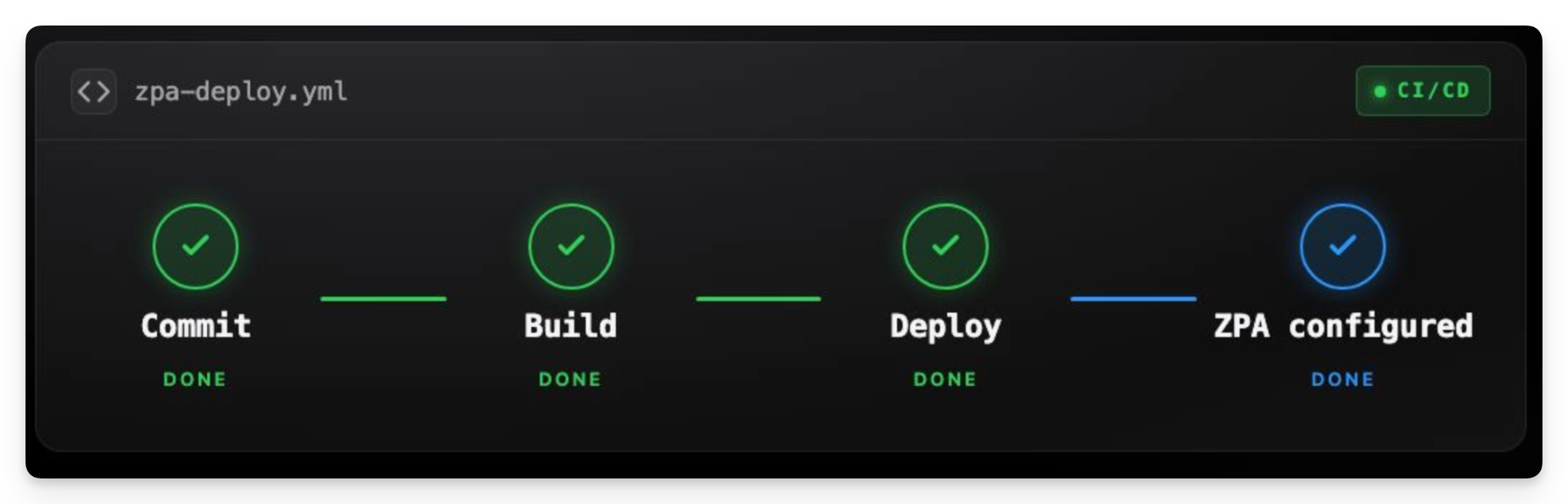
ZPA configuration in CI/CD. When a new private application is deployed, server groups, app segments, and access policies are all provisioned as part of the same pipeline. Security ships with the code, not after it.
-
Cross-product orchestration. ZIA flags a user as compromised, which automatically triggers a ZPA policy to isolate them — cutting off access to sensitive internal applications while your team investigates. This kind of “stitch it together” automation is exactly what OneAPI is designed for.
Setting Up OneAPI
Configuring ZIdentity
ZIdentity acts as the identity provider for OneAPI. It links to your Zscaler tenants, and all API credentials are issued from here.
Step 1: Create a Client Credential
OneAPI supports multiple authentication methods. For most automation use cases, a client secret is the practical choice — just store it in a secrets vault, not in your scripts or repos.
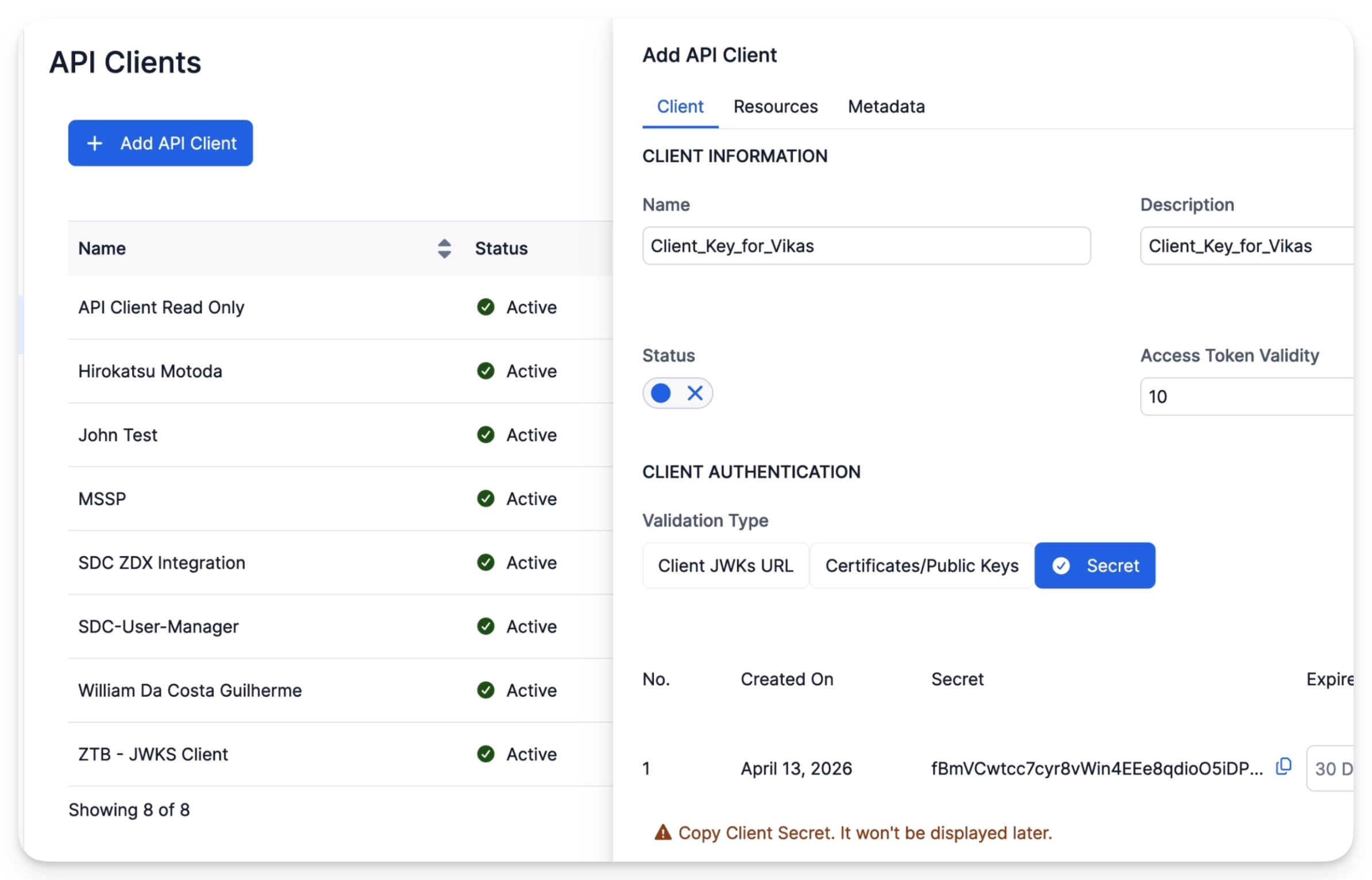
Set the access token lifetime to the minimum your automation actually needs. If your job runs every 15 minutes, don’t issue tokens that live for 24 hours.
After creating the credential, assign it a role scoped tightly to the task — if you’re only querying ZDX data, don’t hand it ZIA write access.
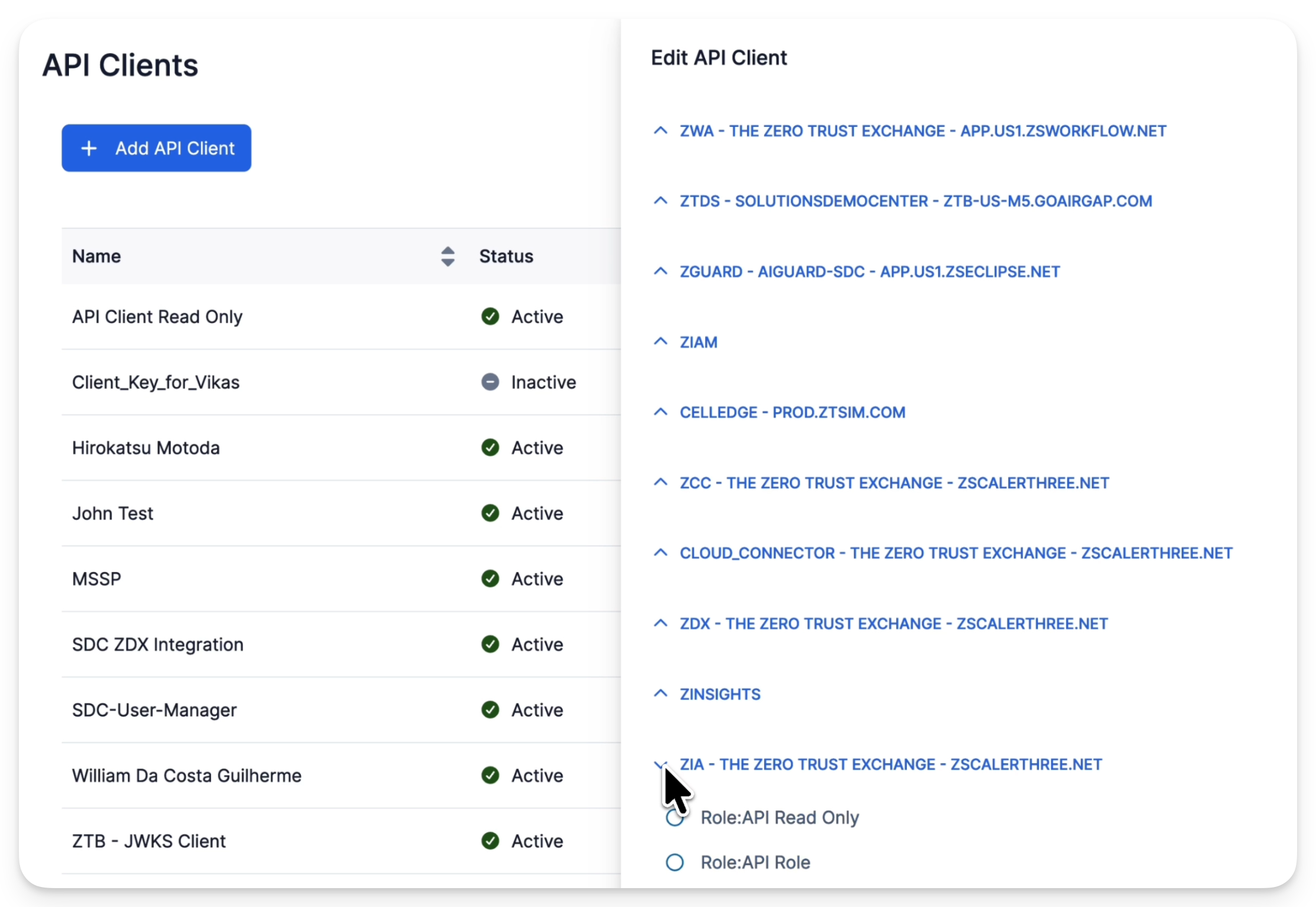
Roles in ZIdentity come from the individual clouds. If you’ve configured custom roles in ZDX or ZIA, they’ll appear here automatically.
Step 2: Retrieve an Access Token
To get a token, your client application sends a POST request to ZIdentity’s token endpoint:
https://<vanity-domain>.zslogin.net/oauth2/v1/token
Where <vanity-domain> is your organization’s domain name.
When a request hits the Zscaler API, here’s what happens on the backend:
- The service extracts the JWT or secret key from the authorization header.
- It validates the JWT signature using the client’s public key or X.509 certificate.
- It verifies the JWT claims.
- If everything checks out, the request is allowed through.
The token inspection view in ZIdentity is useful for troubleshooting — you can confirm which privileges are actually attached to a given credential without guessing.
Setting Up Postman
Zscaler publishes an official guide for adding the OneAPI collection to Postman.
Once you’ve created your credentials in ZIdentity, configure them as environment variables in Postman — client ID, client secret, and your vanity domain. The collection handles token retrieval automatically before each request.
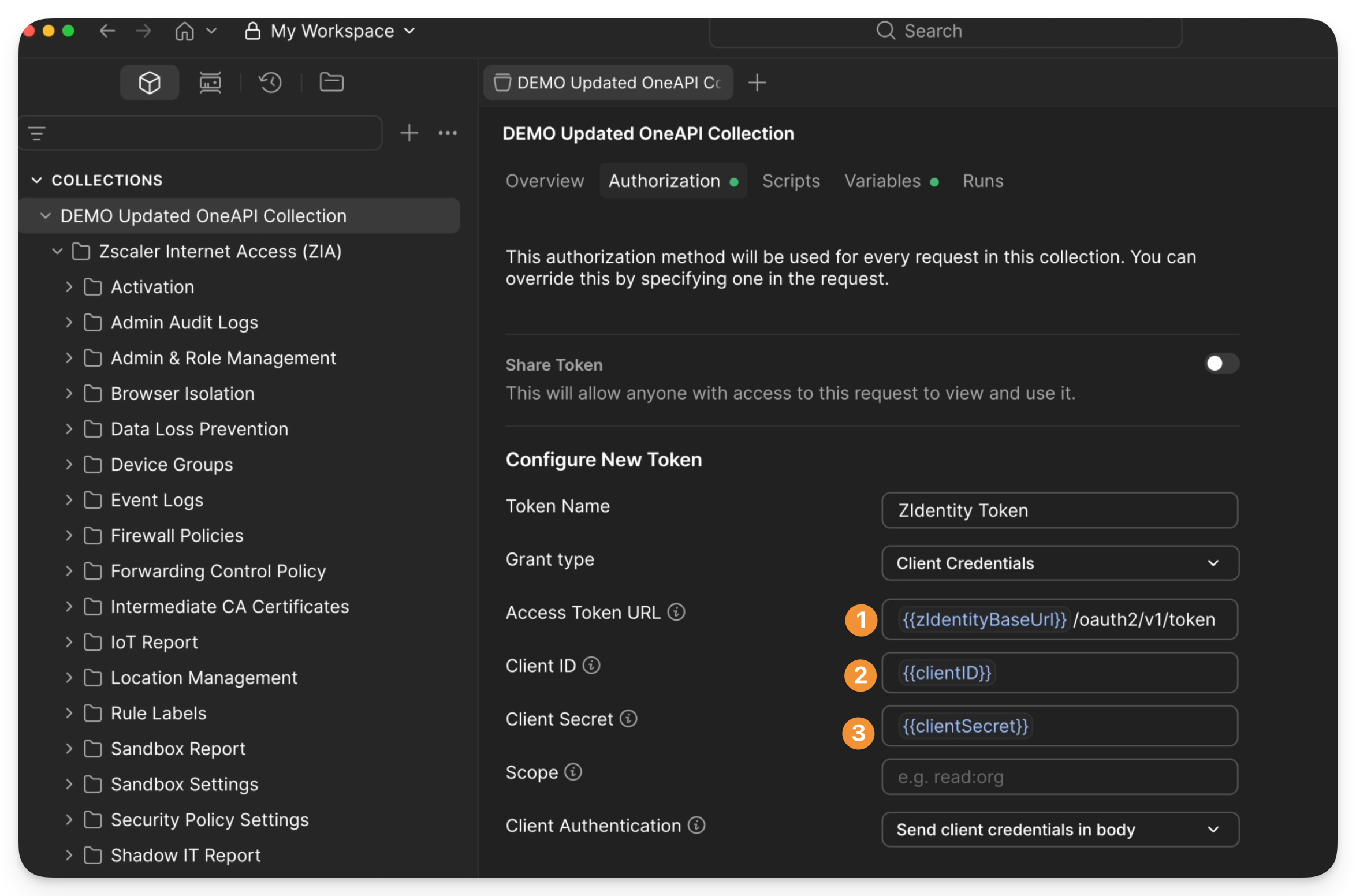
Worth testing early: deliberately trigger the rate limiter by firing requests in a loop. Seeing how the 429 responses behave — and how quickly the window resets — saves debugging time when you’re building more complex flows.
Examples
ZIA: Creating a URL Block Policy
Here’s a typical ZIA automation sequence: list existing URL categories to understand the current state, then create or update a category, then create a policy rule that references it.
Creating a URL filtering policy rule (blocks all traffic matching the GAMBLING category):
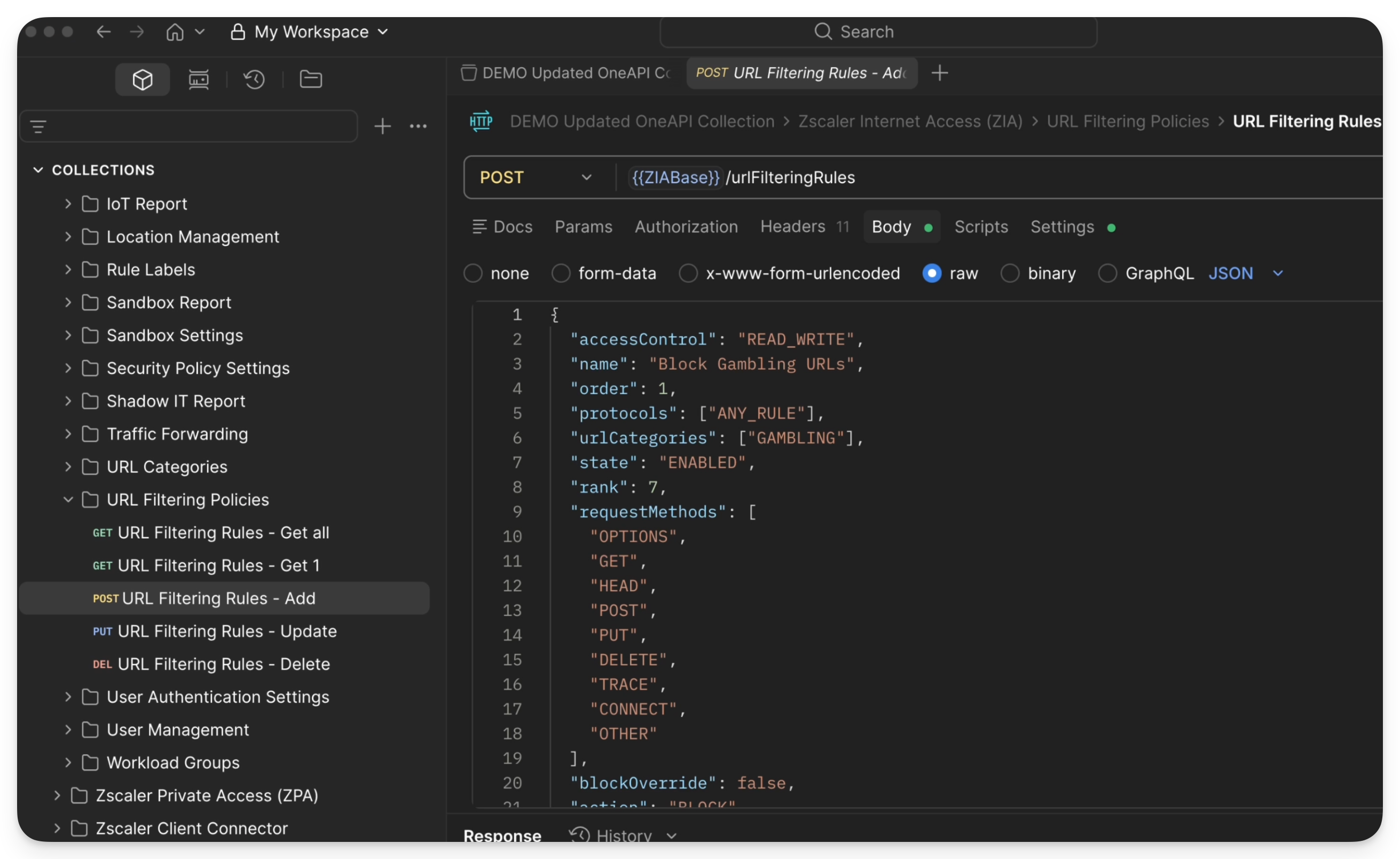
{
  "accessControl": "READ_WRITE",
  "name": "Block Gambling URLs",
  "order": 1,
  "protocols": ["ANY_RULE"],
  "urlCategories": ["GAMBLING"],
  "state": "ENABLED",
  "rank": 7,
  "requestMethods": [
    "OPTIONS",
    "GET",
    "HEAD",
    "POST",
    "PUT",
    "DELETE",
    "TRACE",
    "CONNECT",
    "OTHER"
  ],
  "blockOverride": false,
  "action": "BLOCK"
}
Creating a custom URL category (useful when you need to group specific domains together):
{
  "configuredName": "Blogs",
  "customCategory": true,
  "superCategory": "NEWS_AND_MEDIA",
  "keywords": ["blog"],
  "urls": [
    "livejournal.com"
  ]
}
ZPA: App Connector Group Creation
The ZPA side follows the same pattern — use the API to create app connector groups, define application segments, and set up access policies. This is where OneAPI pays off for CI/CD: your pipeline can configure ZPA access for a new internal service as part of the same deployment job that provisions the service itself.
ZDX: Device and User Queries
A couple of useful starting points for ZDX automation:
- Device list — retrieve all devices being monitored, filterable by status or platform.
- User list — pull user experience scores and session data to feed into dashboards or alerting pipelines.
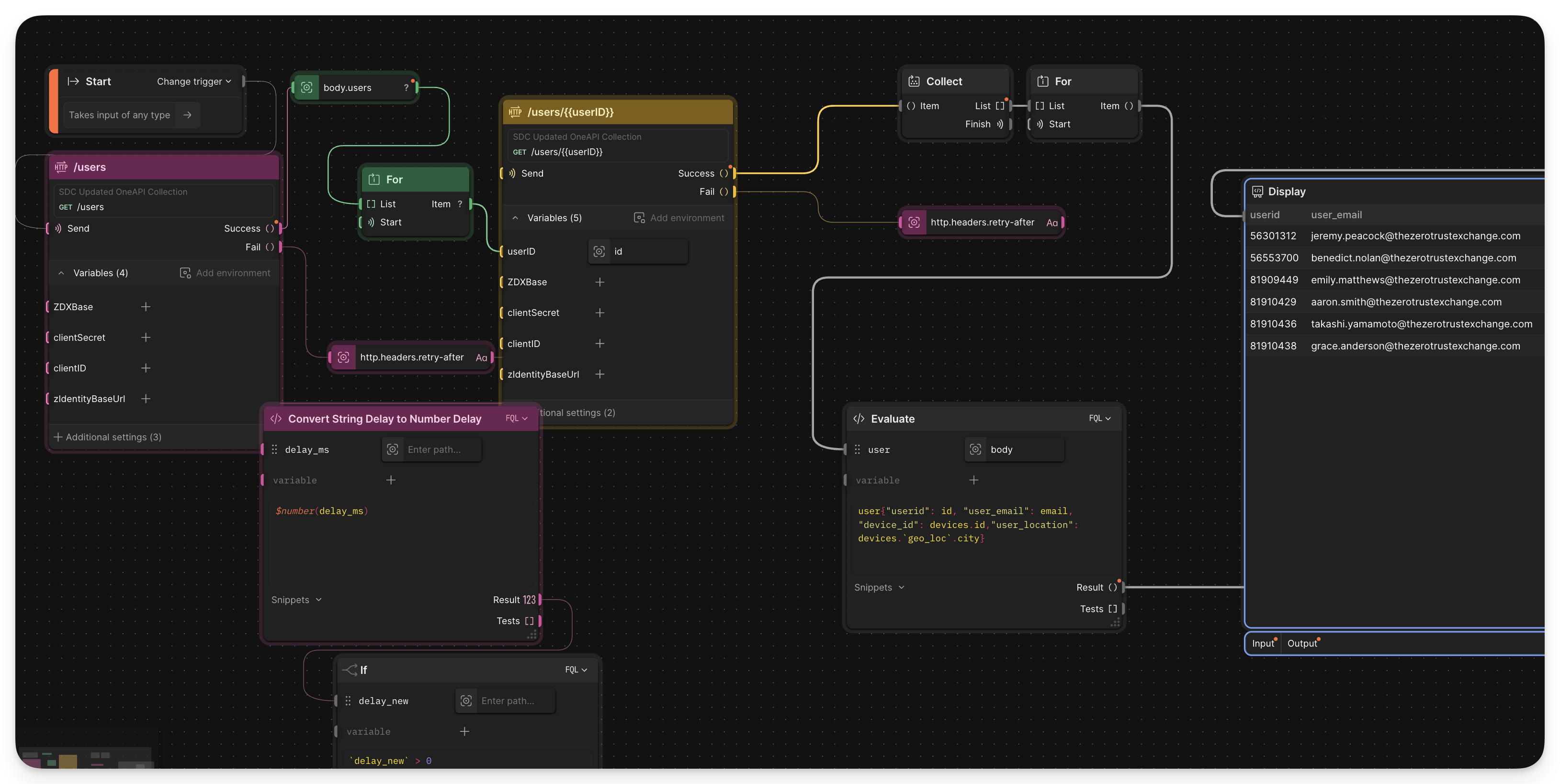
Project: Postman Flow — User Location Reporting
This project demonstrates a Postman Flow that queries ZDX for user location data and formats it into a report — a useful reference for chaining API calls, handling pagination, and transforming response data without writing a full script.
Closing Thoughts
OneAPI won’t replace a well-thought-out automation strategy, but it removes the friction that usually makes Zscaler automation feel fragmented. A single credential model, consistent rate limiting, and one base URL make it much easier to build workflows that span multiple products.
If you’re just getting started, the ZIA URL filtering example is the fastest path to something useful. From there, the ZPA CI/CD integration is the logical next step — especially if your team is already doing infrastructure-as-code elsewhere.
Appendix
Postman Flow Resources
Troubleshooting
Access token URL format:
https://<vanity-domain>.zslogin.net/oauth2/v1/token
For example, if your ZDX tenant uses cloudzdx-zdx-adv-plus-admin as the vanity domain:
https://cloudzdx-zdx-adv-plus-admin.zslogin.net/oauth2/v1/token
Full Postman collection setup guide: automate.zscaler.com/docs/tools/postman/adding-oneapi-postman-collection


